125Hz vs 250Hz vs 500Hz vs 1000Hz Controller Polling Rate
Bought a 1000Hz controller and cannot feel any difference? You are not imagining it. Box numbers promise speed, but what you feel in a game is stability, not the headline Hz. This guide puts the four tiers side by side in milliseconds you can picture, then helps you decide which one you actually need.
Last updated: 14 November 2026 | Category: Controller Testing Tools | Reading time: about 8 minutes | Tested with Chrome/Edge, Gamepad API
Quick Answer
Polling rate is how often your controller reports, in Hz. 125Hz means a report interval of 8 ms, and 1000Hz means a report interval of 1 ms. For most players, 250Hz is plenty when stable. A steady 500Hz beats a jumpy 1000Hz. Measure your own number first, then decide if an upgrade is worth it.
Test your polling rate free
No download. No account. Data stays in your browser.
What the Hz number actually means
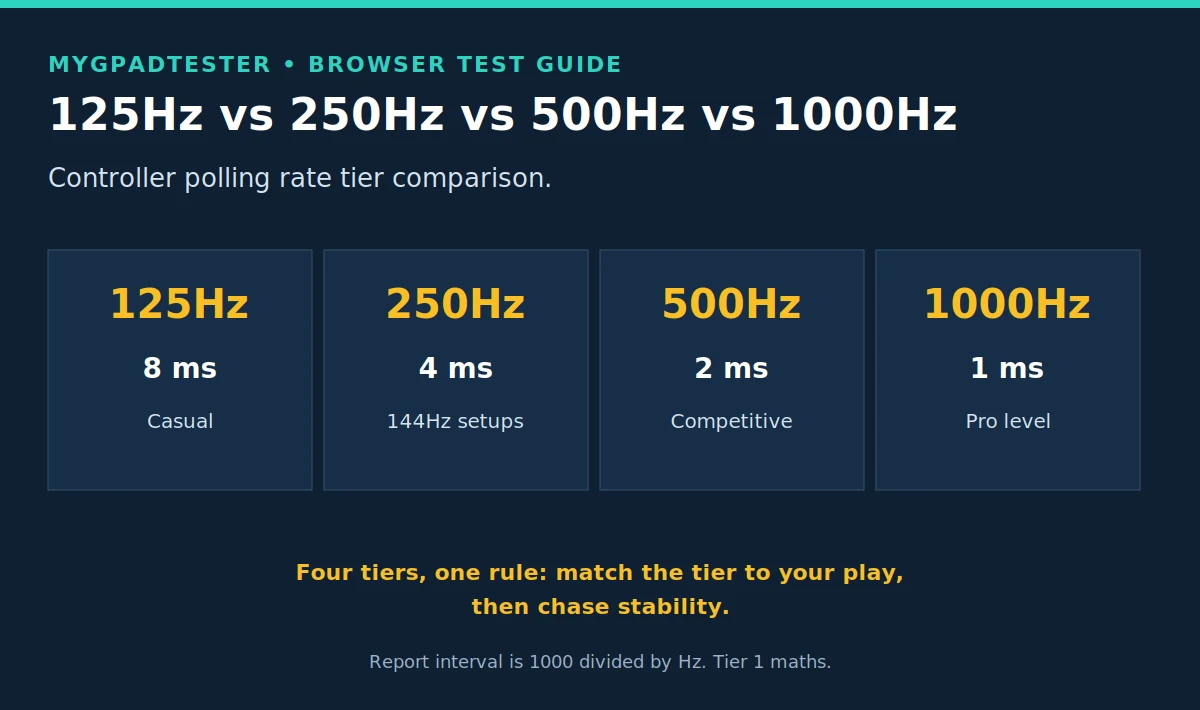
Polling rate is how often the controller reports its state, measured in Hz. The maths is simple: 1000 divided by Hz gives the report interval. 125Hz reports every 8 ms, 250Hz every 4 ms, 500Hz every 2 ms, and 1000Hz every 1 ms (Tier 1). That interval is the theoretical report interval for this one step of the chain, not your whole input lag.
That distinction matters more than any tier. Your total input lag also includes the game, the display, and the connection. Polling is one link, and the guide on what polling rate means covers the full definition if you want it.
The four tiers side by side
| Hz | Report interval (Tier 1 maths) | Typical controllers (Tier 3, typical, browser observed) | Enough for | Verdict |
|---|---|---|---|---|
| 125Hz | 8 ms | Standard console pads, e.g. Xbox controller wired or Bluetooth | Casual and story games | Fine when stable; the number itself is not the problem |
| 250Hz | 4 ms | DualSense wired, typical | Most 144Hz setups, competitive-minded casual play | The sensible middle; each 144Hz frame can get a fresh report |
| 500Hz | 2 ms | Wired esports pads, typical | Competitive play | Sweet spot when stable; gains past this are small |
| 1000Hz | 1 ms | Wired esports flagships, typical | Pro-level play on high-refresh monitors | Only matters if the rest of your chain is already fast |
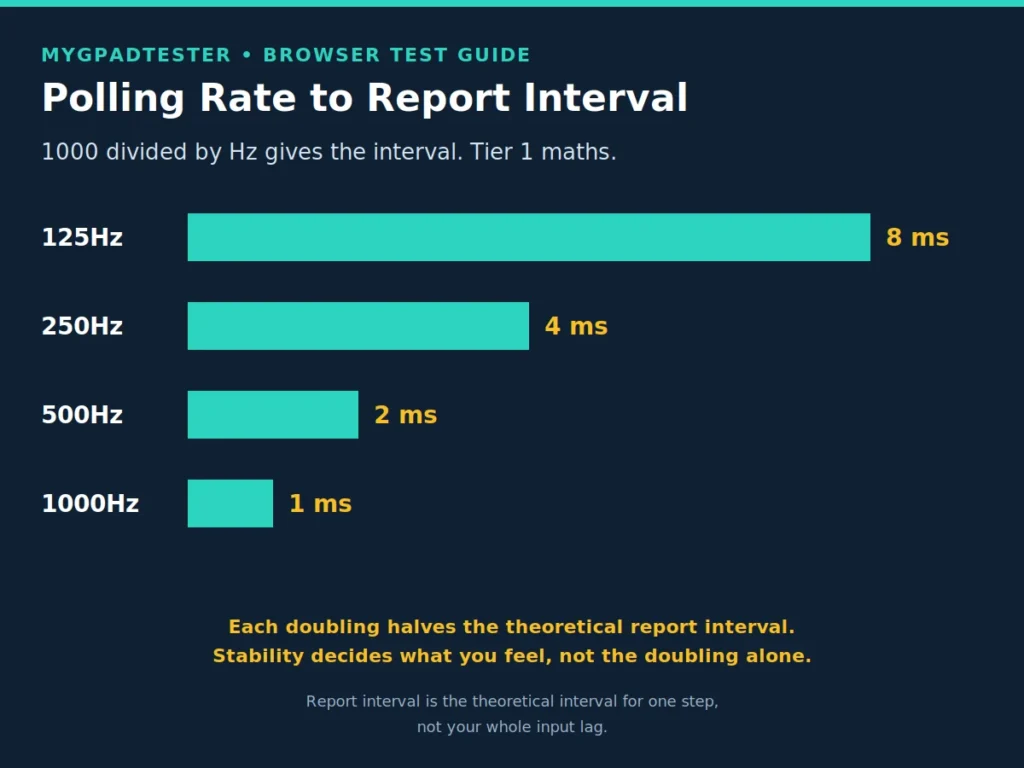
A rock-steady 500Hz beats a jittery 1000Hz that spikes and drops. A fault is instability (wild jumps, long dropouts, a number far below the table for your connection type), not a normal native rate.
What each tier means for you
At 125Hz, a stable controller is a good controller for story games, RPGs, and casual multiplayer. The 8 ms interval is one small slice of your total lag, and it will not be the slice you notice. If your 125Hz pad is steady, upgrading the Hz buys you almost nothing.
At 250Hz, you sit in the sensible middle. The 4 ms interval is shorter than a 144Hz frame (6.9 ms, Tier 1), so each frame can get a fresh report. Most competitive-minded players on 144Hz monitors will never feel a reason to go higher.
At 500Hz, you are in the competitive sweet spot, provided the number is stable. The 2 ms interval leaves headroom for everything else in the chain. This is the tier where chasing stability pays off more than chasing the next tier.
At 1000Hz, the 1 ms interval is real arithmetic, but the felt difference over a stable 500Hz is tiny for almost everyone. It matters at pro level on high-refresh monitors, where every link in the chain is already optimized. For everyone else, it is marketing territory.
Polling rate and your monitor
The frame maths is Tier 1 and worth knowing: 60Hz is 16.7 ms per frame, 120Hz is 8.3 ms, 144Hz is 6.9 ms, 240Hz is 4.2 ms. A higher polling rate means fresher data waiting when each frame renders.
But polling and refresh are independent variables, not a rule. There is no law that your polling rate should be higher than your refresh rate. A stable 125Hz pad on a 144Hz monitor still plays well; a jittery 1000Hz pad on a 240Hz monitor still feels off. Match the tier to your play, then chase stability.
USB vs Bluetooth in one paragraph
The same controller can read differently on USB and Bluetooth, because the connection changes what the browser sees. The full comparison lives in the USB vs Bluetooth polling rate post. Short version: wired is steadier, Bluetooth is more variable, and the Hz tier your controller belongs to does not change between them.
Limits of a browser Hz reading
A browser result is browser observed, through the Gamepad API, and it is gated by frame rate. It is for comparison and stability, not for certifying hardware Hz. Never expect a browser tool to prove 1000Hz on a 60Hz display; the page cannot sample faster than the frames it renders.
Five terms keep the reading honest. Polling rate is how often the controller reports. Report interval is the nominal 1000/Hz time between reports, not a guaranteed delay. Input lag is the total delay from input to game response. Jitter is variation in the reading. Browser measurement is what the browser sees in Gamepad API data, not a physical press-to-photon measurement. No site sample size or measured range is claimed here.
Read the number the way the tester intends: run the test, watch the average and the spread, and compare runs. One peak number proves nothing. The 60-second method is owned by the how-to guide: measure your rate in 60 seconds.
Troubleshooting: when the number looks wrong
Match your reading to the row that fits, then change one variable and retest before you decide anything.
| Problem | Likely cause | Fix | Retest |
|---|---|---|---|
| Box says 1000Hz, browser shows far less | Native HID rate vs marketing; browser-observed vs hardware | Check what the device’s native rate is (Tier 3 typical), test wired, same browser | If the wired number matches the native rate, the box claim was the marketing number |
| Number jumps wildly between runs | Unstable link: cable, port, interference, Bluetooth bunching | Change one variable: cable first, then port, then wired vs wireless | A steadier number after one change names the culprit |
| Number far below the table for your connection | Dropouts or throttling on the link | Test wired as the control; close remappers like Steam Input | If wired is clean, the wireless link is the slow part |
| Hz is stable but the game still feels slow | The slow link is elsewhere in the chain | Polling is one link: polling is one link in the lag chain, and the measurement guide shows how to find the slow one: How to Measure Controller Input Lag Online | Measure the chain, fix the slowest link first |

Related Tools
- Polling Rate Test (pillar, highlighted)
- Vibration Test
- Trigger Test
- Stick Drift Test
- Stick Deadzone Test
- Button Test
- Input Lag Test
- Gamepad Health Checker
Related Guides
- What Is Controller Polling Rate?
- How to Check Controller Polling Rate
- How to Measure Controller Input Lag Online
About the Author
Marcus Sterling, Lead Engineer and Founder of MyGpadTester, Austin, Texas. Profile: https://mygpadtester.com/marcus-sterling/ X: https://x.com/marcussterlin
A tester number is evidence, not a verdict. Repeat it wired, repeat it in the same browser, and judge stability before headline Hz.
Frequently Asked Questions
Is 125Hz bad for gaming?
No, when stable. Casual and story games play fine at 125Hz, and the 8 ms interval is a small slice of total lag. A fault is instability, not the number: wild jumps and long dropouts mean a link problem, not a bad tier.
Can you feel the difference between 500Hz and 1000Hz?
Almost certainly not, unless you play at pro level on a high-refresh monitor with every other link already optimized. The report-interval difference is 1 ms (Tier 1 maths). Most players feel stability far more than that last millisecond.
Why does my controller show less than the box claims?
Box numbers are marketing; the device has a native HID rate, and the browser shows a browser-observed number through the Gamepad API. Test wired in the same browser and compare against the native rate. If they match, the hardware is fine and the box claim was the optimistic one.
Should polling rate be higher than my monitor refresh rate?
Not as a rule. Polling and refresh are independent variables. The arithmetic is still useful: 250Hz reports every 4 ms, so each 6.9 ms frame of a 144Hz monitor can get a fresh report. That is arithmetic, not a requirement. A stable lower rate still plays well.
Does a higher polling rate increase input lag anywhere else?
No. A higher rate does not add lag anywhere; it only shortens this one step’s interval. But it does not fix lag from other links either. If the game still feels slow with a stable Hz, measure the chain with the input lag guide linked above.
Can I overclock my controller to 1000Hz?
That procedure belongs to the polling overclock guide, named here in text only until its live URL is confirmed. One honest note now: there is no reliable software overclock for an Xbox controller’s 125Hz HID rate (Tier 3). Do not buy tools or adapters expecting a Hz increase.
Does Bluetooth lower my polling rate?
It can change the browser reading, but it does not change the Hz tier your controller belongs to. The same controller can read differently on USB and Bluetooth, because the connection changes what the browser sees. Wired is steadier, and Bluetooth is more variable. Test wired in the same browser as your control, then compare the wireless run.
Next Steps
If your number jumps between USB and Bluetooth, the USB vs Bluetooth polling rate post covers the connection side. If Bluetooth is the slow link, the Bluetooth controller lag fix walks the fix order. If you play FPS games and want per-game guidance, the best polling rate for FPS post is scheduled later, text only. If other parts of the pad fail too, run the full check: Gamepad Health Checker.