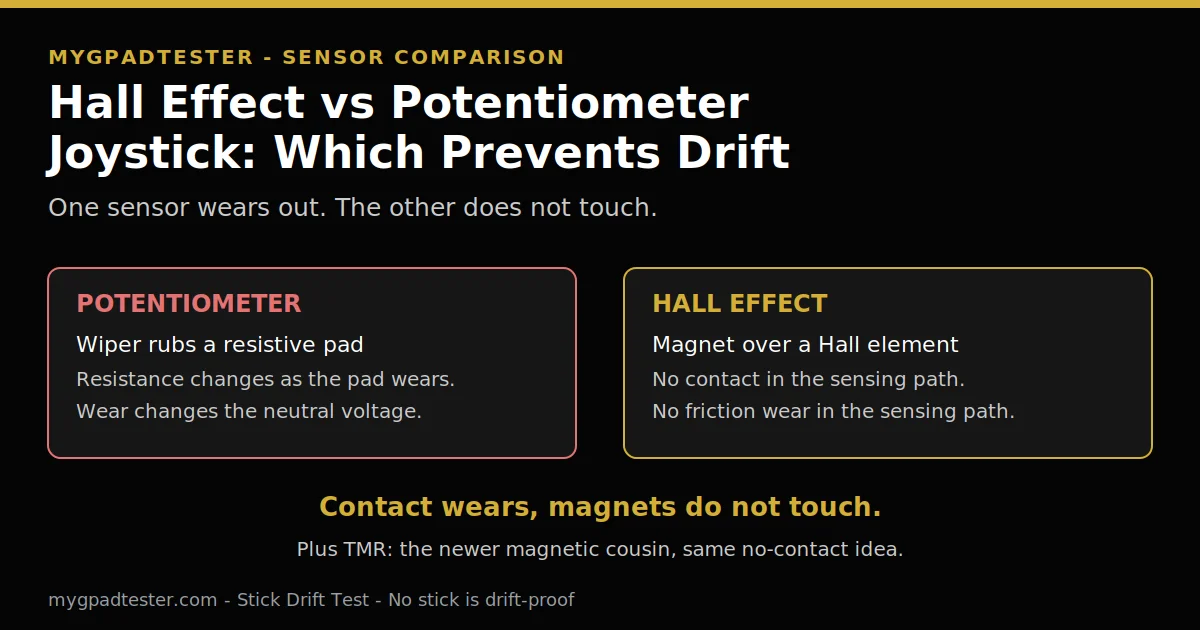
Hall Effect vs Potentiometer Joystick, Which Prevents Drift
Tired of stick drift and wondering if Hall effect sticks really fix it? Every third-party controller now brags about Hall effect sticks, and the claim is that magnets end drift. The real answer is almost that simple.
The sensor decides which sticks develop drift and which resist it. No sensor is drift-proof, though, and this post shows why, in plain words.
Last updated: 13 November 2026 | Category: Controller Testing Tools | Reading time: about 9 minutes | Tested with Chrome/Edge, Gamepad API
Quick Answer
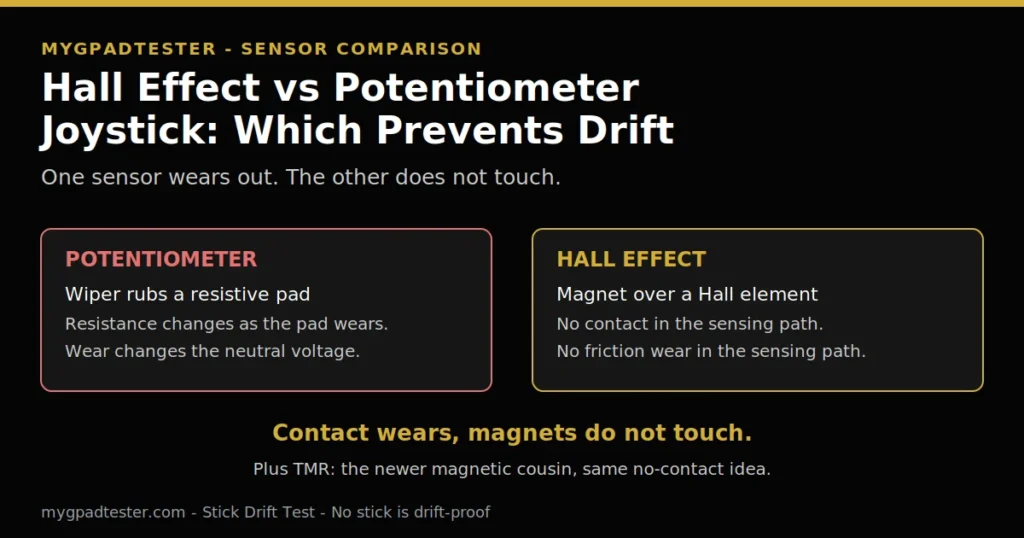
A potentiometer reads the stick through a wiper rubbing a resistive pad, and that contact wears out. That wear is how drift starts. A Hall effect stick reads the movement through a magnet, with no contact in the sensing path, so the wear cause is gone. No stick is drift-proof. A weak spring (Tier 3, typical) or a calibration fault can cause drift.
Test your stick for drift free
No download. No account. Data stays in your browser.
Drift is a sensor problem
Drift is the stick reporting movement at rest, and the sensor is the reason some sticks develop it and others resist it. Potentiometers wear through physical contact. Hall effect senses through a magnetic field, with no contact in the sensing path.
No sensor is drift-proof, though. A weak centering spring (Tier 3, typical) or a calibration issue can still cause drift on a Hall stick. What stick drift is covers the full picture, the causes, the symptoms, and the number test, so this post stays on the sensors.
The three sensors side by side
Potentiometers wear out through contact. Hall effect and TMR resist that wear cause through magnetic sensing. No sensor is drift-proof. One table, three sensors. Every cell uses Tier-labelled facts from the facts register, section 12. No invented lifespan number anywhere.
| Sensor | How it senses position | What wears out | Drift risk in plain words | Typical use |
|---|---|---|---|---|
| Potentiometer | A wiper moves against a resistive pad, varying resistance and output voltage, which the controller reads as position (Tier 2) | The resistive contact pad wears down from friction, a little material lost with every movement (Tier 2) | High over time: once the neutral resistance changes, the pad reads input at rest (Tier 2) | All three first-party controllers, PS5 DualSense, Xbox Wireless, Switch Pro (Tier 2) |
| Hall effect | A magnet replaces the wiper and a Hall element replaces the resistive strip; the sensor reads the magnetic field change as movement (Tier 2) | Nothing in the sensing path: no contact means no friction wear there (Tier 2) | Low for the wear cause, but not zero: springs (Tier 3, typical) and calibration can still cause drift | Third-party controllers, GuliKit KingKong 2 Pro, Steam Deck and Switch replacements (Tier 2) |
| TMR | Tunneling magnetoresistance, a related but distinct magnetic sensing approach, newer than Hall effect (Tier 3) | Nothing in the sensing path, same magnetic principle as Hall effect (Tier 3) | Low for the wear cause, like Hall effect; less susceptible to magnetic interference, qualitative (Tier 3) | Newer third-party controllers positioned as more precise and power-efficient (Tier 3) |
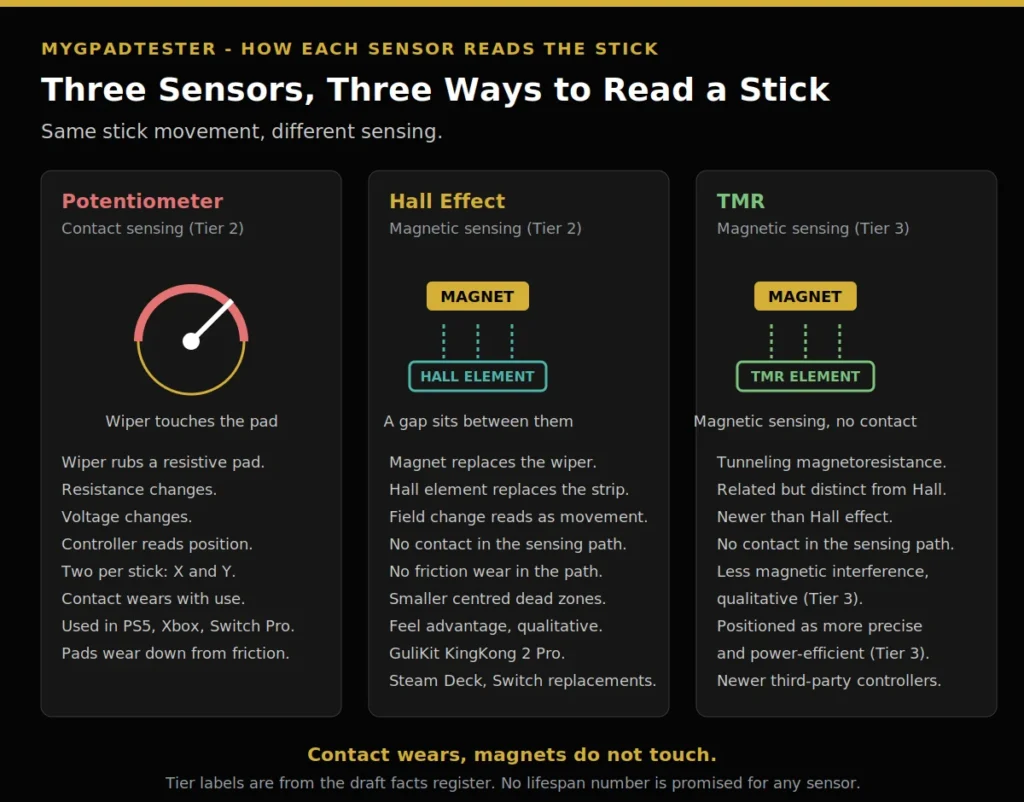
- Potentiometer: wiper rubs a resistive pad, resistance changes, voltage changes, controller reads position.
- Hall effect: magnet moves over a Hall element, magnetic field changes, sensor reads movement, no contact.
- TMR: magnetic sensing like Hall effect, a distinct and newer approach, positioned as more precise.
Potentiometer: the wiper that wears
A potentiometer is a variable resistor that forms a variable voltage divider. Moving the stick moves a conductive wiper against a resistive contact pad, which varies the resistance and therefore the output voltage. The controller reads that voltage as a position. Two potentiometers per stick, one for X and one for Y, Tier 2, from the iFixit Hall effect explainer.
The wear mechanism is friction. The resistive contact pads wear down as the stick moves. Every stick movement removes a minuscule amount of material.
Once the resistance value of the neutral position changes, the controller reads a different voltage than expected while stationary and interprets it as input. That is drift. It is not bad luck. It is the mechanism wearing out, only sooner than anyone wants.
This is why the first-party pads drift. All three major console manufacturers use potentiometer-based joysticks: PS5 DualSense, Xbox Wireless, and Switch Pro, Tier 2. Nintendo confirmed the Switch 2 does not use Hall effect sensors either, Tier 2, because the magnetic attachment would interfere with them, and the teardown found the same potentiometer tech. The pads most people own are built on the wearing sensor.
Hall effect: the magnet that does not touch
In a Hall effect stick, the wiper is replaced by a magnet. The resistive strip becomes a flat conductor, a Hall element, sensitive to magnetic fields. As the stick moves, the sensor detects the magnetic field change and interprets it as movement.
No physical contact in the sensing path, so no friction wear in the sensing path. That is the whole advantage, and it is real.
The longevity claim needs its exact wording, Tier 2. iFixit states Hall effect joysticks could hypothetically last the entire lifetime of the controller, while potentiometers are nearly guaranteed to fail eventually. Keep “hypothetically” and “nearly”. The words matter, because the sensor is not the whole stick.
Hall effect is not drift-proof. Even Hall effect sticks can develop drift from other causes. A weak centering spring is one typical cause (Tier 3, typical, community-reported, not iFixit-documented), and calibration or mechanical issues can still occur. The spring pushes the stick back to centre.
If it weakens, the stick rests off centre, and the sensor correctly reports what it sees: movement at rest. The sensor did not fail. The stick still drifts.
Hall effect sensors also have smaller dead zones when centered, so they respond to smaller movements and register subtler stick movement than potentiometers. That is qualitative, Tier 2, with no invented percentage. A smaller centered dead zone is a feel advantage, not a drift guarantee. The deadzone test explains smaller centered dead zones on Hall sticks.
GuliKit patented its Hall effect thumbstick implementation, seen in the KingKong 2 Pro, Steam Deck replacements, and Switch replacements, Tier 2. That patent explains why Hall sticks spread through third-party pads first, while the first-party pads stayed with potentiometers.
TMR: the newer magnetic cousin
TMR stands for tunneling magnetoresistance. It is a related but distinct magnetic sensing approach, newer than Hall effect, positioned as more precise and more power-efficient. One source gives 0.1mA versus 0.5mA per sensor, Tier 3 typical, never a manufacturer specification. TMR is less susceptible to magnetic interference than Hall effect, noted qualitatively in the iFixit Switch 2 teardown.
Do not over-read TMR. It is magnetic sensing with the same no-contact advantage as Hall effect. The precision and power draw differences are trade-press positioning, Tier 3, not measured site results. What matters for drift is the same: no contact in the sensing path, so the wear cause is resisted, and the spring and calibration causes remain.
Which prevents drift
Hall effect and TMR resist the wear cause of drift. Potentiometers are nearly guaranteed to wear eventually. That is the verdict. Neither magnetic sensor prevents drift outright, because wear is one cause, not the only cause.
If your stick already drifts, this comparison does not fix it. Test it first and get your number. Get your drift number in 60 seconds with the drift how-to.
Read it against the house scale: flickers within 0.02 to 0.03 are normal resting noise and need no fix, steady offset 0.05 to 0.10 is mild, and above 0.10 is clear drift (house tester convention, not a vendor specification). If the number is mild, clean and calibrate and retest. If it is clear, the choice is repair or replace. The fix posts cover repair, and the roundup post covers replacement, named in text only until live.
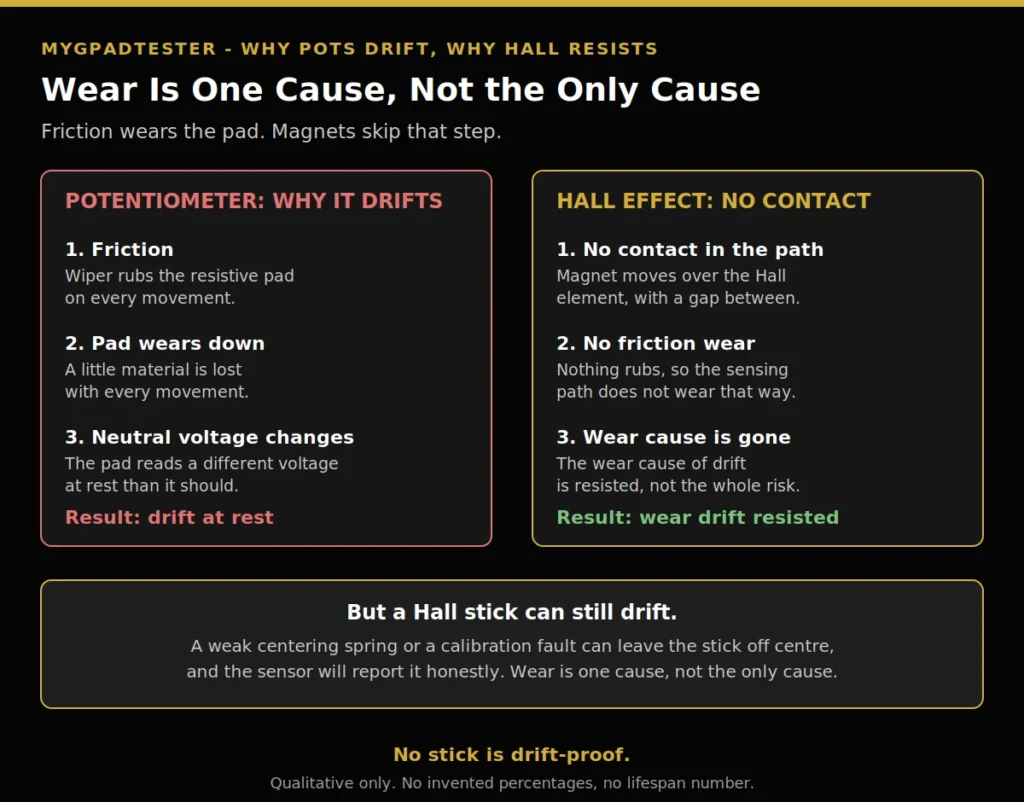
Friction wears the resistive pad, the neutral voltage changes, and the controller reads input at rest. That is potentiometer drift. A Hall stick has no contact in the sensing path, so that wear never happens.
But a weak spring (Tier 3, typical) or a calibration fault can still leave the stick off centre, and the sensor will report it honestly. Wear is one cause. Springs and calibration are the others.
If your Hall stick still drifts
If the number stays above 0.10 after a spring and calibration check, the stick needs a fix or a replacement. The PS5 DualSense stick drift fix walks the repair steps for a DualSense, and the Xbox Series stick drift fix does the same for an Xbox pad.
Limits
This post compares sensors. It is not a fix guide and not a repair tutorial. The fix posts own the cleaning and calibration steps, and the roundup post owns the replacement picks.
No lifespan number is promised for any sensor. The 0.1mA versus 0.5mA power figure is Tier 3 typical from trade press, not a manufacturer specification. Every sensor claim here carries a Tier 2 or Tier 3 label.
Browser tests read through the Gamepad API, so every number here is browser observed. Test in Chrome or Edge, use the same browser for every retest you compare, and keep the pad awake during each run.
Related Tools
- Polling Rate Test
- Vibration Test
- Trigger Test
- Stick Drift Test (pillar, highlighted)
- Stick Deadzone Test
- Button Test
- Input Lag Test
- Gamepad Health Checker
Related Guides
- What Is Controller Stick Drift?
- How to Test Stick Drift Online
- PS5 DualSense Stick Drift Fix
- Xbox Series X/S Stick Drift Fix
About the Author
Marcus Sterling, Lead Engineer and Founder of MyGpadTester, Austin, Texas. Profile: https://mygpadtester.com/marcus-sterling/ X: https://x.com/marcussterlin
A tester number is evidence, not a verdict. Test the stick, read the number, and let the sensor explain what you see.
Frequently Asked Questions
Do Hall effect controllers get stick drift?
Yes, they can. The wear cause is resisted, because there is no contact in the sensing path. But a weak centering spring (Tier 3, typical) or a calibration fault can still cause drift. No stick is drift-proof.
Which is better for preventing drift, Hall effect or potentiometer?
Hall effect resists the wear cause. Potentiometers are nearly guaranteed to wear eventually, Tier 2, with the house wording kept. Hall effect wins on the wear cause, with a feel advantage on small movements. It still does not promise zero drift.
How long do Hall effect sticks last?
No lifespan number is promised. iFixit states Hall effect joysticks could hypothetically last the entire lifetime of the controller, while potentiometers are nearly guaranteed to fail eventually (Tier 2, iFixit). That is a sensor claim only: the sensor is not the whole stick, and a weak centering spring (Tier 3, typical) or a calibration fault can still cause drift.
What is TMR and is it better than Hall effect?
TMR is a related but distinct magnetic sensing approach, newer than Hall effect, positioned as more precise and power-efficient, Tier 3 typical. It is less susceptible to magnetic interference, qualitative. For drift, it shares the Hall advantage: no contact in the sensing path.
Do the PS5, Xbox or Switch controllers use Hall effect sticks?
No. All three major console manufacturers use potentiometer-based joysticks, Tier 2. The Switch 2 does not use Hall effect either. Test the first-party pads, do not assume they are safe.
Can I upgrade my controller to Hall effect sticks?
The Hall upgrade guides cover that as a separate later post, named in text only until live. This post compares the sensors only. No procedure is given here, and no upgrade is promised to fix a drifting stick.
My Hall stick drifts, what do I check?
Check the centering spring and the calibration first. Push the stick to each edge, let it snap back, calibrate, and retest wired. If the number stays above 0.10, use the PS5 DualSense stick drift fix or the Xbox Series stick drift fix for the repair steps.
Next Steps
If you have not tested your stick yet, the drift test gives you a number in 60 seconds, linked above. If the number says drift, the fix posts walk the repair, also linked above. If the decision is replacement, the Hall effect roundup post covers the picks, named in text only until live. If other parts of the pad fail too: if other parts also fail.