DualSense Adaptive Triggers Not Working on PC Fix
Meta line: Last updated 14 November 2026 | Category: Controller Testing Tools | Reading time: about 6 minutes | Tested with Chrome/Edge, Gamepad API
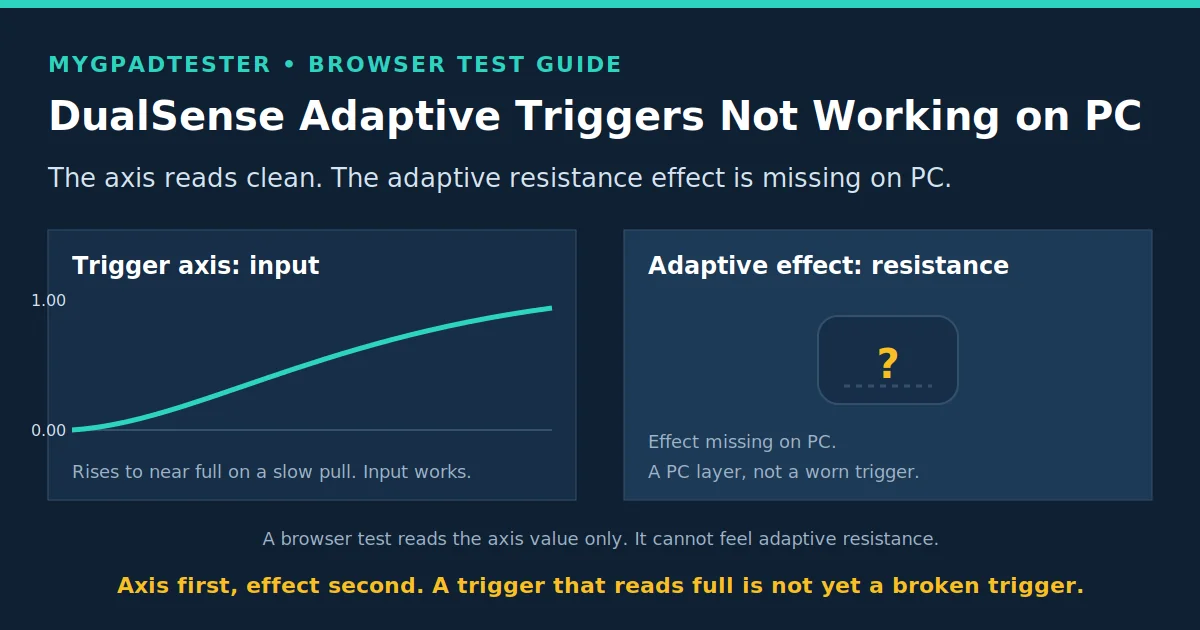
Your DualSense adaptive triggers work on PS5 but not on Steam, or they stopped working on Bluetooth? Test the axis first, then fix the PC layer. Fix it in order: test the axis, check wired versus Bluetooth, check Steam Input, check game support, retest, then decide platform limit or hardware.
Quick Answer
Test the trigger axis first. If the axis rises to near full, the trigger input works, and the missing adaptive effect is usually a PC layer, not a broken trigger. Check wired mode, then Steam Input, then game support, in that order.
Test your DualSense trigger axis free
No download. No account. Data stays in your browser.
Adaptive triggers are input resistance, not vibration
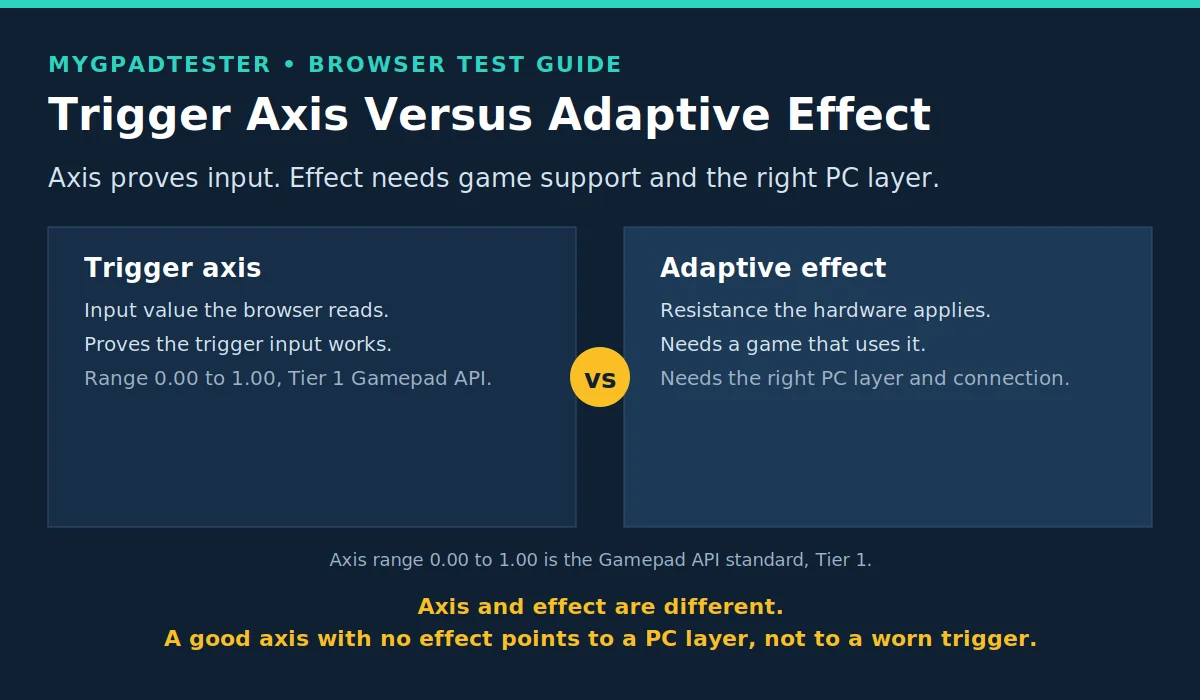
Adaptive triggers change how the trigger feels to your finger. They do not change the axis value the browser reads. That is the core of this whole post: axis and effect are two different things.
A browser test reads the axis value, nothing more. The axis runs from 0.00 at rest to 1.00 at full pull (Tier 1, Gamepad API, facts register section 6). It cannot feel adaptive resistance, so a browser result proves axis input, not the adaptive effect. A clean axis with no effect points to a PC layer, not to a worn trigger. This limit comes from the Gamepad API specification: the browser sees the input value, not the resistance the hardware applies.
If your problem is vibration, not trigger feel, stop here. Vibration is output from motors; adaptive triggers are input resistance. The vibration fix is a separate post, and this post will not fix it.
Fix in order: DualSense adaptive triggers on PC
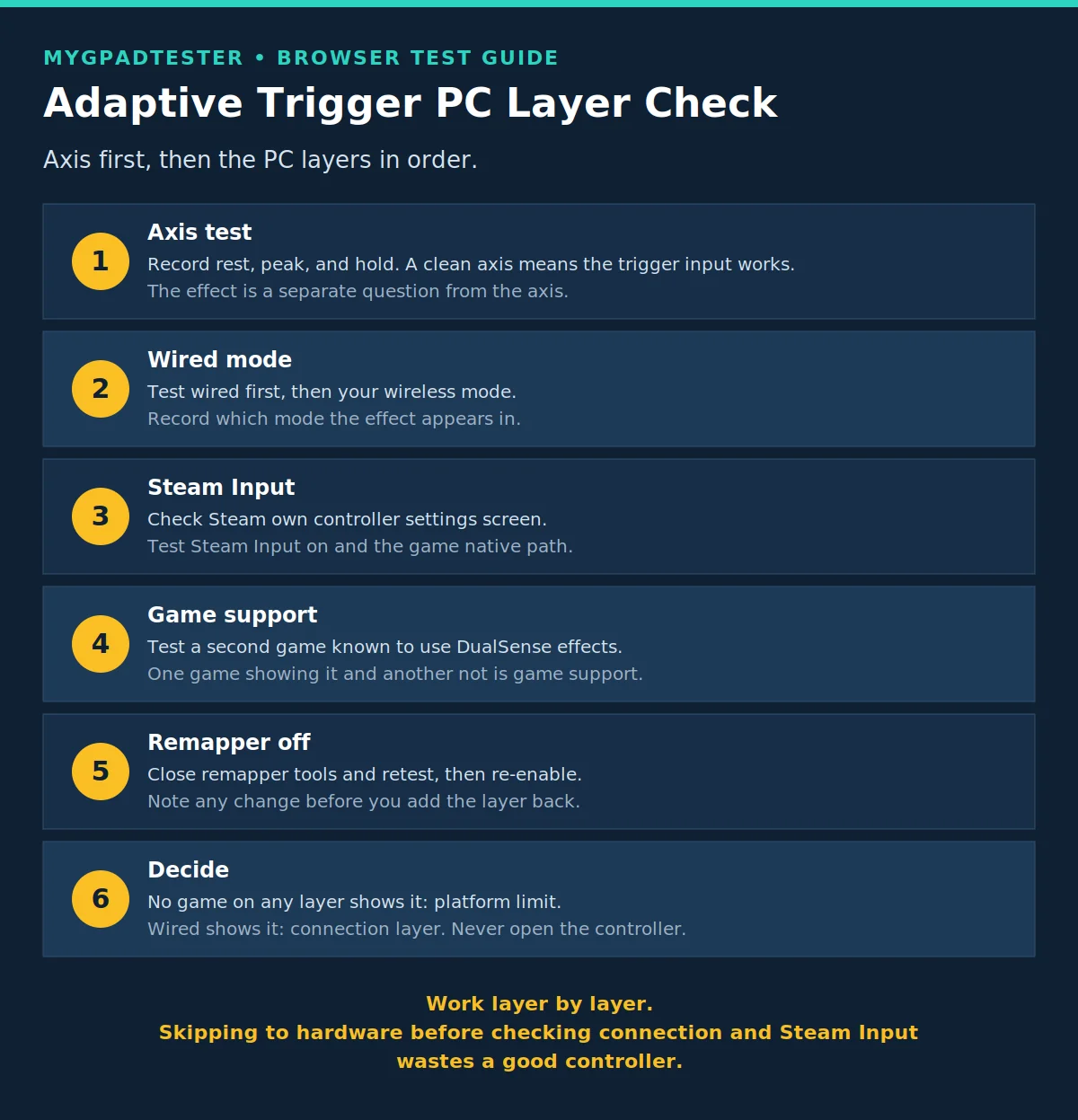
Confirm the axis, then work the PC layers in order: connection, Steam Input, game support, remapper. Check the warranty before any repair thought, and never open the controller.
- Test the trigger axis and record rest, peak, and hold. Use the general trigger test as the starting point. If the axis rises to near full and holds steady, the trigger input works, and the missing effect is a layer above it.
- Retest wired, then test your wireless mode. Adaptive effects on PC are connection mode dependent, so test wired first, then test your wireless mode, and record which mode the effect appears in. The exact wired versus Bluetooth behaviour is not verified as a universal rule at writing time, so your own test is the answer.
- Check Steam’s controller settings. Look for the DualSense controller settings in Steam, and test with Steam Input on and with the game’s native path, recording which path the effect appears in. The exact menu names are not verified at writing time, so use Steam’s own controller settings screen rather than a guessed path.
- Check game support. Adaptive triggers need a game that actually uses them. Test a second game that is known to use DualSense effects. Effects in one game but not another mean game support, not a broken trigger.
- Close remappers for the clean test. Shut down remapper tools and test again, then re-enable afterwards if you use them, and note any change. DS4Windows is a PC tool layer only here, never a guaranteed fix, and this post gives no driver tutorial.
- Decide: platform limit, setting, game support, or hardware. If the axis is clean and the effect appears in no game on any PC layer, check the warranty and the maker’s repair path. If the effect appears wired but not on Bluetooth, it is the connection layer. Never open the controller.
Browser and PC limits
A browser test proves the trigger axis works. It cannot prove the adaptive effect works, and it cannot prove the effect is broken.
The browser cannot feel adaptive resistance, so the effect itself is outside every browser test. PC game support varies by game, so one game’s behaviour proves nothing about another game. Connection mode changes what a PC can deliver, so a wireless result is a wireless result, not a controller verdict. A remapper can sit between the game and the controller and change what reaches the hardware. One failed PC run never proves a broken trigger.
What each test proves
| Test | What it proves | What it does not prove |
|---|---|---|
| Browser axis test | The trigger input value rises to near full and holds | That the adaptive resistance effect works |
| Wired PC test | What the effect does on the cleanest connection | That Bluetooth behaves the same |
| Steam Input on versus game native path | Which software layer carries the effect | That the other layer is broken |
| Second game with DualSense effects | Whether the effect needs game support | That the controller is at fault |
Test in Chrome or Edge, and use the same browser for both runs you compare. Firefox works for basic testing. Safari and mobile are limited for this kind of test.
Troubleshooting: adaptive trigger PC fault patterns
Match the pattern to the layer, then retest with one change at a time.
| Problem | Likely cause | Fix | Retest |
|---|---|---|---|
| Adaptive triggers on PS5 but not on PC | PC layer: connection or Steam Input | Test wired, then check Steam’s controller settings | If it appears wired, it is the connection layer |
| Adaptive triggers in one PC game only | Game support | Test a second game known to use DualSense effects | If the second game shows it, it was game support |
| Adaptive triggers stop on Bluetooth but work wired | Connection mode layer | Record which mode the effect appears in, keep the working mode | If wired always works, use wired for the effect |
| Adaptive triggers stop after a Steam or game update | Setting reset by the update | Re-check Steam controller settings and the game setting in order | If it returns, the update reset a toggle |
| Trigger axis itself fails | Trigger input fault, not an effect fault | Run the general trigger test steps first | If the axis fails everywhere, it is the trigger, not the effect |
| Controller not detected for the test | Detection fault | Wake the controller, press every button once, retest wired | If it is detected wired, fix the wireless detection separately |
Frequently Asked Questions
Why do my DualSense adaptive triggers not work on PC?
Usually a PC layer, not a broken trigger. Test the axis first. If the axis rises to near full, check wired mode, then Steam Input, then game support, in that order.
Do DualSense adaptive triggers work on Bluetooth on PC?
Test wired first, then test your wireless mode, and record which mode the effect appears in. The exact behaviour is not verified as a universal rule, so your own test is the answer, not a claim in this post.
Do DualSense adaptive triggers work on Steam?
They can, through Steam’s controller settings, but the effect also needs a game that uses it. Test with Steam Input on and with the game’s native path, and record which path shows the effect.
Why do adaptive triggers work in one PC game but not another?
Because the effect needs game support. One game using it and another not is a game difference, not a controller fault. Test a second game that is known to use DualSense effects before you blame the hardware.
Can a browser test prove my adaptive triggers are broken?
No. A browser test reads the trigger axis value; it cannot feel adaptive resistance. It proves axis input, not the adaptive effect, so it can never be the proof of a broken effect.
Should I use DS4Windows for adaptive triggers?
DS4Windows is a PC tool layer, named here only as a layer, never as a guaranteed fix. This post gives no driver tutorial. Test with remappers closed first, so you know what the clean path does before you add a layer.
When should I repair or replace my DualSense?
Only after the axis, the connection modes, Steam Input, and game support are all checked. If the axis itself fails everywhere, or the effect fails in every game on every layer, use the warranty and the maker’s repair path. Never open the controller.
Related Tools
- Polling Rate Test
- Vibration Test
- Trigger Test (pillar, highlighted)
- Stick Drift Test
- Stick Deadzone Test
- Button Test
- Input Lag Test
- Gamepad Health Checker
Related Guides
- How to Check Controller Polling Rate
- What Is Controller Stick Drift?
- How to Test Stick Drift Online
- How to Test Controller Triggers Online
About the Author
Marcus Sterling, Lead Engineer and Founder of MyGpadTester, Austin, Texas.
- Author Profile: Marcus Sterling
- X: X
A tester number is evidence, not a repair certificate. Repeat it wired, repeat it without a remapper, and check warranty before opening the controller.
Next Steps
If the trigger axis itself fails, the general trigger test post covers it. If vibration also fails, the vibration fix post covers it, because adaptive triggers and vibration are different systems. If other parts fail too, test vibration separately with the Vibration Test, or run the full check with the Gamepad Health Checker.