Signs Your Controller Is Failing or Dying
Your controller started acting up and you cannot tell if it is dying? One day the character walks on its own, the next day a button needs two presses. The pad is not dead until the tests say so. The signs below tell you which test to run first.
Last updated: 13 November 2026 | Category: Controller Issues & Fixes | Reading time: about 8 minutes | Tested with Chrome/Edge, Gamepad API
Quick Answer
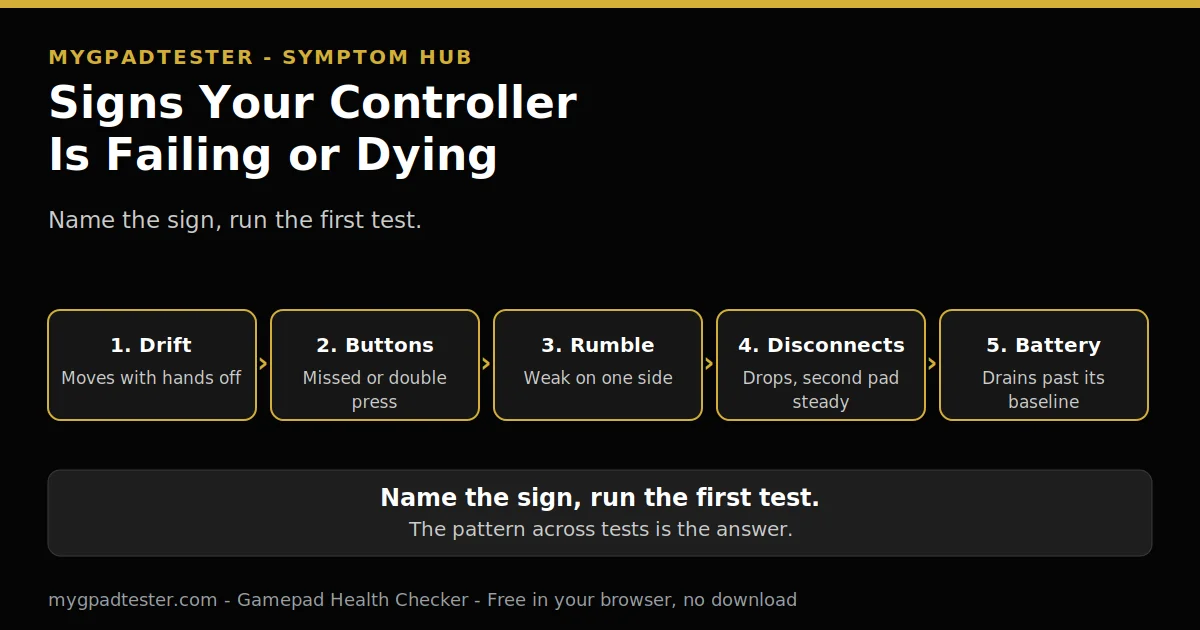
Your controller is failing when a pattern shows up, not one random fault. One failed part points at that part. Several failed parts point at the whole pad. Run the first test for each sign below, then read the pattern. Do not buy a replacement until the tests name the fault.
Run the full checkup
No download. No account. Data stays in your browser.
One fault or many: the pattern that matters
A failing controller shows a pattern, not one random fault. One failed part points at that part. Several failed parts point at the whole pad. That is the whole method of this post: name the sign, run the first test, read the pattern.
The first step for every sign below is a test, not a purchase. A test costs minutes. A replacement costs money, and it does not fix a game setting or a worn cable. For the full checkup behind these signs, run the full health check.
Press any button to wake the Gamepad API. A blank test before any press is normal. The browser cannot test what the operating system does not see. Fix the OS connection first, then retest in the browser.
This post is a symptom hub, not a fix guide. Each sign ends at its first test. The fix lives in the owning post, linked in the table. No fix chains here.
The nine signs, and the first test for each
Nine signs, one row each. Each row gives the sign, what it usually means, and the first test to run. Run the test before you decide anything.
| Sign | What it usually means | First test to run |
|---|---|---|
| Character or camera moves with hands off the sticks | Rest drift | The drift test, flat and untouched, 30 to 60 seconds, house scale |
| Buttons need harder presses, miss presses, or fire twice on one clean press | Membrane wear or contact bounce | Test every button, one press at a time, note stuck, dead, or double |
| Stick does not reach full deflection in one direction, or movement feels uneven | Range fault | The drift test full-deflection sweep |
| Trigger never reaches full pull, or rests above zero | Trigger range fault | The trigger test, watch 0.00 to 1.00 travel |
| Rumble weak or dead on one side only | Motor or output fault | The vibration test, both sides |
| Frequent disconnects or stuttering that a second controller does not show | Connection layer | The polling test, watch for dropouts, retest wired to isolate Bluetooth |
| Battery drains far faster than its own previous baseline, or only charges at a cable angle | Battery or port wear | The battery and port checks in the health test post |
| Stick click (L3 or R3) stops registering while stick movement still works | Button fault, not drift | The button test, clicks separately from movement; the six-step button test |
| Fault appears in one game only | Game setting or profile mimicking hardware fault | A second game or the browser test before touching the controller |
A few rows deserve one more line, not a fix chain.
Rest drift is a common sign. The character moves with hands off the sticks, or the camera drifts in menus. The first test is the drift test, flat and untouched, 30 to 60 seconds, on the house scale: flickers within 0.02 to 0.03 is normal noise; steady offset 0.05 to 0.10 is mild; above 0.10 or creeping is clear drift. Tester convention, never a vendor specification.
Button signs split three ways, and the test tells them apart. A button that needs a harder press is usually membrane wear. One that fires twice on one clean press is usually contact bounce. One that never answers is stuck or dead at the contact. Press one button at a time and note which of the three it is. Stick clicks are buttons, not drift, so test L3 and R3 separately from stick movement.
A stick that never reaches full deflection is a range fault, not drift. Drift is movement at rest. A range fault is missing movement at the edge. The drift test full-deflection sweep shows it: push to the edge in each direction and watch whether the reading reaches full travel. The sweep is the first test.
Trigger and rumble signs are the same shape. A trigger that never reaches full pull or rests above zero is a range fault, and the trigger test shows the 0.00 to 1.00 travel. Rumble weak or dead on one side only is a motor or output fault, and the vibration test checks both sides. Vibration is output and trigger press is input, so a dead trigger and dead rumble are two different faults.
Disconnects need a control run. A second controller that does not drop out points at the first pad, not the connection. The polling test shows the dropouts, and a wired retest isolates Bluetooth. Jitter is described qualitatively only: wide, unstable, spikes and drops.
Battery signs compare against the pad’s own past, never against a universal hour number. A battery that drains far faster than its own previous baseline is the signal. A controller that only charges at a cable angle has port or cable wear. The battery and port checks in the health test post own the method.
The one-game-only sign is the cheapest to rule out. A deadzone setting, a stick preset, or a custom profile can mimic a hardware fault in one game and nowhere else. Test in a second game or in the browser test before touching the controller. If the fault follows the pad everywhere, it is the pad. If it stays in one game, it is the game.
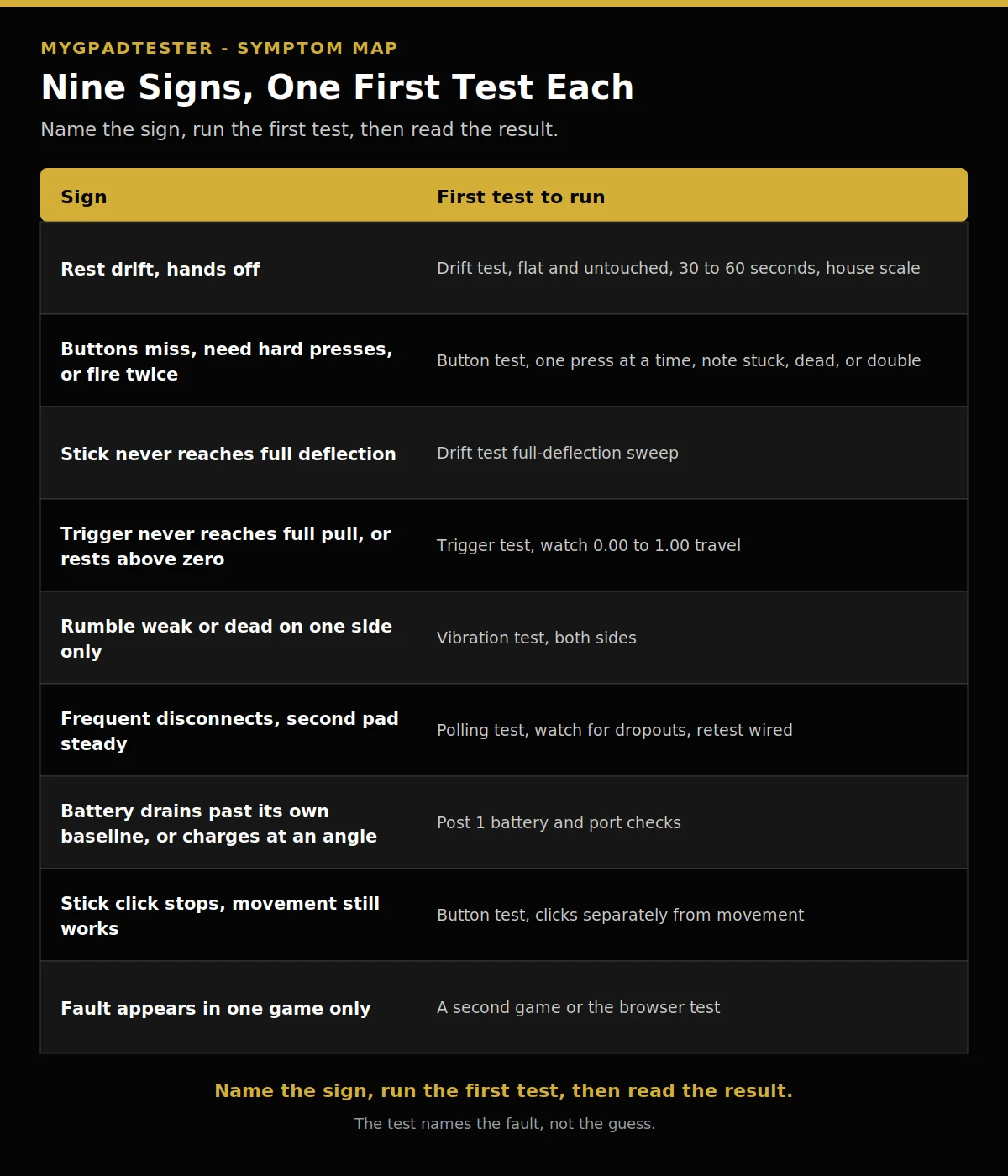
| Sign | First test to run |
|---|---|
| Character or camera moves with hands off the sticks | Drift test, flat and untouched, 30 to 60 seconds, house scale |
| Buttons need harder presses, miss presses, or fire twice | Button test, one press at a time, note stuck, dead, or double |
| Stick does not reach full deflection in one direction | Drift test full-deflection sweep |
| Trigger never reaches full pull, or rests above zero | Trigger test, watch 0.00 to 1.00 travel |
| Rumble weak or dead on one side only | Vibration test, both sides |
| Frequent disconnects a second controller does not show | Polling test, watch for dropouts, retest wired |
| Battery drains far faster than its own baseline, or only charges at an angle | Battery and port checks in the health test post |
| Stick click stops registering while movement still works | Button test, clicks separately from movement |
| Fault appears in one game only | A second game or the browser test |
What one failed part means, and what many mean
One failed part is a repair candidate. The fix for that part lives in its own post, and the table above links it. A drifting stick goes to the drift fix posts, a dead button to the button fix guide. Do not replace a pad over one part until the owning post has had its say.
Many failed components across the pad is a replace signal. That is the one fork row this post is allowed, not a framework. The full repair versus replace decision is a separate future post, and this post does not build it. The rule is short: one dead part is a repair candidate, many dead parts is a replace signal.
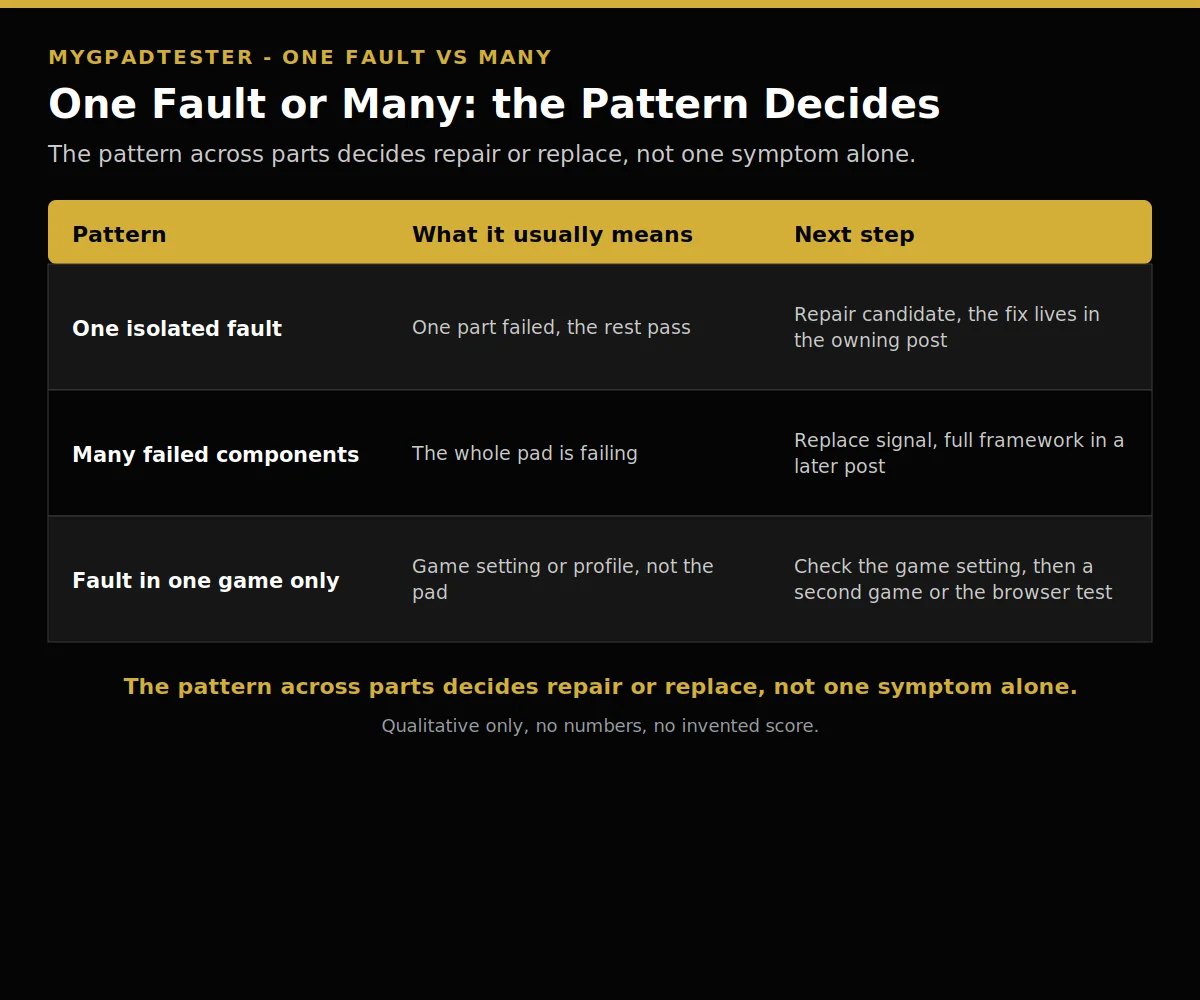
| Pattern | What it usually means | Next step |
|---|---|---|
| One isolated fault | One part failed, the rest pass | Repair candidate, the fix lives in the owning post |
| Many failed components across the pad | The whole pad is failing | Replace signal, full framework in a later post |
| Fault in one game only | Game setting or profile, not the pad | Check the game setting, then a second game or the browser test |
Troubleshooting: when the sign does not match the test
The sign says drift, but the drift test shows a clean rest reading. Trust the test, then check the run. A stick tested on a slope, a pad still waking up, or a game with a low deadzone setting can each fake drift. Test flat and untouched, 30 to 60 seconds, and retest before you decide.
The sign says dead button, but the button test shows it answering. Check the game, not the pad. A remap layer, a custom profile, or a game that captures that button can swallow a press the browser test sees clearly. Name the remap layer before you change it, change one layer, then retest.
The sign appears and vanishes between runs. Record the connection, the browser, and the battery state for each run. A fault that comes and goes with Bluetooth but never appears wired is a connection fault, not a dying pad. A fault that follows the pad across wired and wireless runs is the pad.
Limits: what this symptom hub does not do
This post gives no lifespan number anywhere. “How long do controllers last?” is a separate future post. Lifespan depends on use and care, and the signs above matter more than a year count.
This post gives no fix chains. Every sign ends at its first test. The fix lives in the owning post, linked in the table. A post that fixes everything fixes nothing, because the reader cannot tell which step belongs to which fault.
A browser test reads through the Gamepad API, so every result here is browser observed. Test in Chrome or Edge, use the same browser for every retest, and keep the pad awake. No sign here promises a diagnosis on its own. The pattern across the tests is the diagnosis.
Related Tools
- Polling Rate Test
- Vibration Test
- Trigger Test
- Stick Drift Test
- Stick Deadzone Test
- Button Test
- Input Lag Test
- Gamepad Health Checker (pillar, highlighted)
Related Guides
- What Is a Controller Health Test and What Does It Check?
- How to Test Stick Drift Online
- How to Test Controller Triggers Online
- How to Test Controller Vibration Online
- How to Test All Controller Buttons Online
About the Author
Marcus Sterling, Lead Engineer and Founder of MyGpadTester, Austin, Texas. Profile: https://mygpadtester.com/marcus-sterling/ X: https://x.com/marcussterlin
One symptom is a clue. A pattern across tests is the answer. Run the first test, then read the pattern.
Frequently Asked Questions
Is my controller dying or just dirty?
One isolated fault is usually a clean or a single part. Several failed parts is a replace signal. Run the full checkup first, then read the pattern.
How long do controllers last?
No number in this post. That is a separate future post. Lifespan depends on use and care, and the signs above matter more than a year count.
My controller disconnects a lot, is it broken?
Check the connection layer first. Run the polling test, retest wired, and compare with a second controller. A second pad that stays steady points at the first pad, not the connection.
One button needs a hard press, the others are fine, what is that?
Membrane wear or contact bounce on that button. Test it one press at a time in the button test and note whether it is stuck, dead, or double.
It only fails in one game, is the controller at fault?
Probably not. Check the game setting or profile first, then a second game or the browser test. If the fault stays in one game, it is the game.
My character moves on its own but the drift test looks clean, is it drift?
Trust the test, then check the run. A stick tested on a slope, a pad still waking up, or a game with a low deadzone setting can each fake drift. Test flat and untouched, 30 to 60 seconds, and retest before you decide.
When should I repair and when should I replace?
One dead part is a repair candidate, many dead parts is a replace signal. The full framework is a later post, and this post gives the fork row only.
Next Steps
If one sign matched, open the owning post from the table and work its fix. If several signs matched, run the full checkup linked at the top before you spend money. If the fault appears in one game only, check the game setting first. Do not buy a replacement until the tests name the fault.