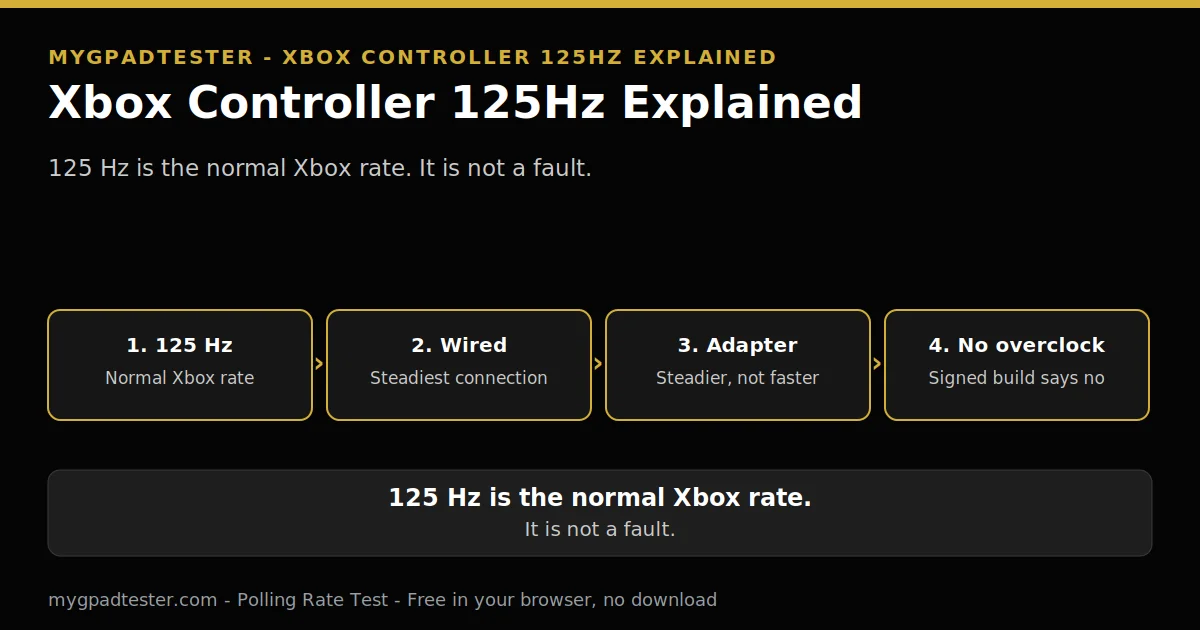
Xbox Controller 125Hz Explained
You run the polling test, and the number comes back 125 Hz. Your friend’s DualSense shows 250 Hz. Is your Xbox controller broken? Is it slow? Do you need a new cable, a new adapter, or a new controller? The short answer is no. 125 Hz is the normal rate for your controller, and nothing you buy will change it.
Last updated: 17 November 2026 | Category: Controller Testing Tools | Reading time: about 15 minutes | Tested with Chrome/Edge, Gamepad API
Quick Answer
Your Xbox controller polls at 125 Hz by design, wired or Bluetooth, and that is normal, not a fault. The rate comes from the controller firmware, not from your cable, your USB port, or your settings. The Wireless Adapter is steadier than Bluetooth but does not raise the rate, and no reliable software overclock exists for Xbox.
Test your polling rate
No download. No account. Data stays in your browser.
The polling test reads what the browser observes, through the Gamepad API, in Chrome or Edge. This post explains why that reading sits at 125 Hz, what the Wireless Adapter changes, and why no overclock fixes it.
What 125Hz means for your Xbox controller
125 Hz means the controller sends a report 125 times a second, so a report arrives every 8 ms. That 8 ms is the report interval, the gap between reports. It is not input latency, which adds frame time and display processing. Jitter is how much the timing varies, and the browser measurement is an observation, not a hardware certificate.
Polling rate is how often the controller reports. Report interval is the time between one report and the next. Input latency is the full chain from your press to the screen, and polling is only one link in it. Jitter is the variation in report timing. A browser measurement is what the browser observes, gated by frame rate, and it is for comparison and stability, not for certifying hardware Hz, Tier 1 concept.
The maths is simple, Tier 1: 1000 divided by Hz. 125 Hz is 8 ms, 250 Hz is 4 ms, 500 Hz is 2 ms, 1000 Hz is 1 ms. Those numbers are report intervals, not latency. Your Xbox controller sits at the first step of that ladder, and the rest of this post explains why it stays there.
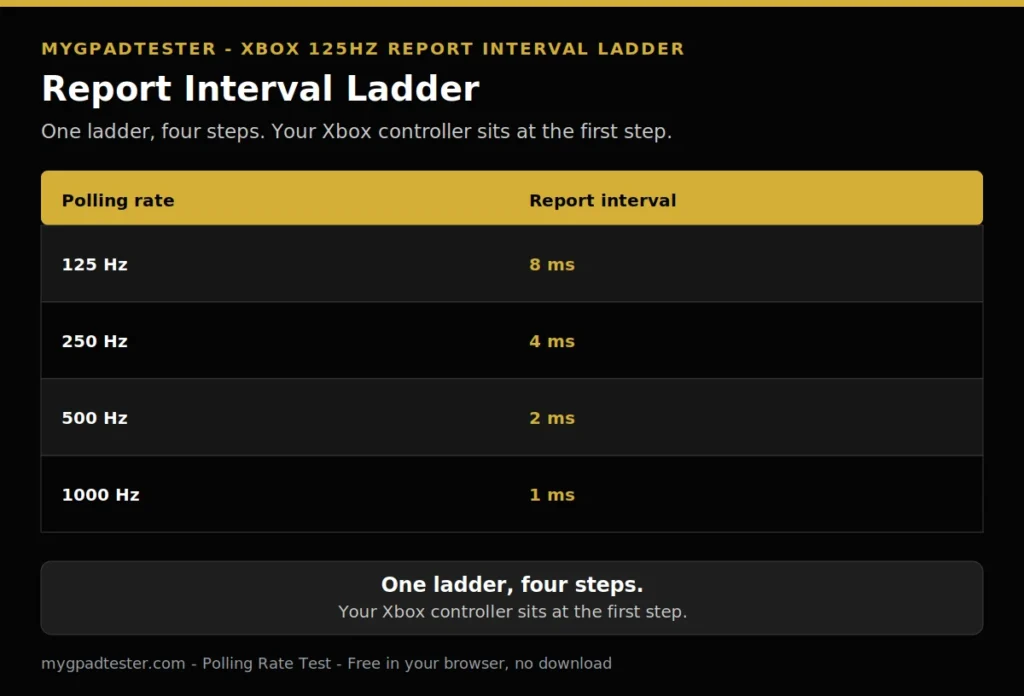
| Polling rate | Report interval |
|---|---|
| 125 Hz | 8 ms |
| 250 Hz | 4 ms |
| 500 Hz | 2 ms |
| 1000 Hz | 1 ms |
Is 125Hz a fault, or is that normal?
125 Hz is normal for every first-party Xbox controller, and it is not a fault. The rate is set in the controller firmware, and every Xbox Series X/S, Xbox One, and Elite controller uses it in normal use, Tier 3 typical. A test that shows 125 Hz is showing a healthy controller, not a broken one.
The polling test tool says the same thing in plain words: 250 Hz DualSense wired and 125 Hz Xbox wired are normal, not faults, Tier 3, own live tool page. A fault looks different. A fault is a reading that jumps, drops out, or stops. A steady 125 Hz reading is the controller working as designed.
A steady stick offset is a different question from the rate. The house drift scale is short. Flickers within 0.02 to 0.03 are normal noise. A steady offset of 0.05 to 0.10 is mild drift. A steady offset above 0.10 is clear drift. Tester convention, never a vendor specification. Rate and drift are separate readings, and a normal rate does not prove a clean stick.
Why wired is still 125Hz: the USB interval the controller asks for
Wired is still 125 Hz because the controller firmware declares that interval, and Windows honours it. A USB device declares its polling interval in its firmware endpoint descriptor, called bInterval. Full-speed USB frames are 1 ms, so bInterval 8 means 8 ms, which is 125 Hz, and drivers cannot change the declared interval.
Think of bInterval as a request the controller makes when it connects. The controller says how often it wants to be asked, and the host follows that request. Xbox controllers ask for 8 ms. A different controller can ask for 1 ms, which is 1000 Hz. The difference sits in the firmware, not in the cable and not in the port, Tier 1 concept, Tier 2 vendor concept.
That is why no cable changes the rate. The cable is transport. It carries the reports the firmware already scheduled. A better cable cannot make the controller ask for a shorter interval, and a cheap cable cannot make it ask for a longer one. The interval is declared in firmware, and the host honours it.
Xbox versus DualSense: why the same PC shows different rates
The same PC shows different rates because Xbox and PlayStation controllers use different platform paths. Xbox controllers on Windows use the XInput path, while PlayStation controllers use the HID path that a filter driver can attach to, Tier 3. DualSense wired is about 250 Hz typical, while Xbox wired is about 125 Hz typical, Tier 3.
The path matters because it decides what the operating system can change. A filter driver attaches to the HID path, so it can ask a PlayStation controller for reports more often. The Xbox path does not offer the same hook, so the same trick does not carry over. That is the whole fork, in one paragraph.

| Controller and connection | Native rate | What changes the rate |
|---|---|---|
| Xbox, wired | About 125 Hz, typical | Nothing. The firmware declares the interval. |
| Xbox, Bluetooth | About 125 Hz, lower and more variable | Nothing. Same platform rate. |
| Xbox, Wireless Adapter | Steadier than Bluetooth, no rate number | Nothing. Steadier, not faster. |
| DualSense, wired | About 250 Hz, typical | A filter driver can raise the Windows poll rate on PC. |
The full DualSense detail lives in the PS5 polling guide, PS5 Controller Polling Rate Test Guide. That post owns DualSense. This post owns the Xbox side of the fork only.
Wireless: the adapter versus Bluetooth
The Wireless Adapter is steadier than Bluetooth, but neither raises the platform rate. Bluetooth on Xbox is about 125 Hz, lower and more variable, Tier 3 typical. The adapter gives a steadier wireless connection, Tier 3, with no rate number asserted for it, because no verified number exists.
Steadier means the reading holds near one level instead of jumping. Bluetooth can throttle idle reports on some devices, firmware, and browsers, so the reading can dip and recover. The adapter avoids that dip more often, which is why the number looks calmer. Calmer is not faster. The platform rate stays 125 Hz on both.
The full USB versus Bluetooth comparison lives in the USB versus Bluetooth polling post. That post owns the connection comparison in full. Here is the short version for Xbox only.
| Xbox connection | Rate | Steadiness | What changes |
|---|---|---|---|
| Wired USB | About 125 Hz, typical | Steadiest | Nothing. Firmware interval. |
| Wireless Adapter | No rate number asserted | Steadier than Bluetooth | Nothing. Steadier, not faster. |
| Bluetooth | About 125 Hz, lower and more variable | Most variable | Nothing. Same platform rate. |
What about the Elite Series 2?
The Elite Series 2 uses the same Xbox platform rate in normal use. It is an Xbox controller first, and the platform rate follows the platform, not the price. A Microsoft Q and A answer states the Wireless Adapter protocol prioritizes stability and runs near 125 Hz like Bluetooth, even with the Elite Series 2, Tier 3.
The Elite Series 2 adds paddles, a better grip, and adjustable sticks. None of those change the polling interval. The rate is a platform property, not a premium feature. A higher price buys build and controls, not a faster report.
The Xbox Accessories app updates firmware and remaps buttons, and it has no polling rate option, Tier 3. Open the app and you will find remapping and firmware updates, but no rate setting. There is no hidden switch to find. If the app had a polling option, this post would name it. It does not.
Can you overclock an Xbox controller to 1000Hz?
No, there is no reliable software overclock for an Xbox controller. The signed hidusbf build lists Xbox Series X/S, Xbox One and Xbox Elite as not supported, Tier 3. Even where a filter raises the poll rate, the pad still sends fresh data at about 124 times a second, so the extra polls mostly re-read the same data.
A filter driver makes Windows ask more often. It does not rewrite firmware, and it does not change the declared interval, Tier 3. The controller still decides how often it sends fresh data. Asking more often does not make the controller answer with new data more often. One independent tester measured the pad still sending fresh data at about 124 times a second even with a 1000 Hz polling rate, Tier 3, one tester, labelled as such.
The procedure that does work on PlayStation controllers lives in the Controller Polling Rate Overclocking Guide. That post owns the procedure. Do not chase an Xbox overclock. The signed build says not supported, and the fresh-data reading says the gain is not there.
Where 125Hz is enough, and where it hurts
125 Hz is enough for most play, and it hurts most where every millisecond stacks with a fast display and a game. Moving from 125 Hz to 1000 Hz saves up to 7 ms of report interval, 3.5 ms average. Polling is one link in the input lag chain, not the whole chain, so the saving is real but small.
That 3.5 ms is an average, assuming inputs arrive uniformly between polls, Tier 1. The worst case saves 7 ms, the average case saves about 3.5 ms. The rest of the chain stays put: frame time, display processing, and engine processing. A 7 ms saving matters most when the display and the game are already fast, and it matters least when the display or the game is the bottleneck.
The full ladder lives in the polling ladder post. That post owns the general ladder. The full does-it-matter answer lives in Does Polling Rate Affect Gaming Performance?. No aim or rank promise is made here. A faster report interval does not make a player better, it only reports the input sooner.
Why your browser test shows 60Hz or 125Hz
Your browser test shows 60 Hz or 125 Hz because the reading is gated by display frame rate and by the platform rate. A browser result is browser observed, via Gamepad API, gated by frame rate, Tier 1 concept. On a 60 Hz display the browser cannot show above 60 Hz, so the limit is the display, not the controller.
A 60 Hz reading on a 60 Hz display is the display limit, not a controller fault. Change the display to a faster one and the reading can rise toward the platform rate. Change the controller to a DualSense on wired USB and the reading can rise toward 250 Hz typical. Change one thing at a time, and compare the same browser and the same test before and after.
The step by step check lives in the how to check polling post.
Quick checklist: test the rate once, in order
Work the list in order. Tick each step as you go.
- Test wired first. Plug the controller in with a data-capable USB cable.
- Use Chrome or Edge. Keep the same browser for both runs.
- Run the same test. Use the polling rate test both times.
- Change one thing at a time. Cable, then adapter, then Bluetooth, never all at once.
- Compare before and after. Read the rate, then read it again after the one change.
If a step fails, stop there. Fix that layer first, then move on. Do not jump ahead to the overclock and guess at the reading.
Related Tools
- Polling Rate Test (pillar, highlighted)
- Button Test
- Vibration Test
- Trigger Test
- Stick Drift Test
- Stick Deadzone Test
- Input Lag Test
- Gamepad Health Checker
Related Guides
- What Is Controller Polling Rate?
- 125Hz vs 250Hz vs 500Hz vs 1000Hz Controller Polling Rate
- USB vs Bluetooth Controller Polling Rate
- How to Check Controller Polling Rate
- Best Budget Controllers With No Stick Drift
- PS5 Controller Polling Rate Test Guide.
- How to Test a Bluetooth Controller in Browser.
About the Author
Marcus Sterling, Lead Engineer and Founder of MyGpadTester, Austin, Texas. Profile: https://mygpadtester.com/marcus-sterling/ X: https://x.com/marcussterlin
125 Hz is normal for Xbox controllers. The test tells you the rate, and this post tells you why it is fixed, and what not to chase.
Frequently Asked Questions
Should I buy a third-party controller for a higher rate?
Only if a specific model lists a higher wired or dongle rate in its own specification, verified per model, never a blanket claim. For budget picks, use the Best Budget Controllers With No Stick Drift post.
Does the Wireless Adapter raise the rate to 250Hz?
No verified number exists for the adapter. It is steadier than Bluetooth, not faster by a verified number. Do not expect 250 Hz from the adapter.
Why does my controller show 124Hz, not 125Hz?
One independent tester measured about 124 updates a second, Tier 3, labelled as one tester. 124 and 125 are the same rate within measurement, not a fault.
Can I use my Xbox controller at a higher rate on console?
No. On Xbox consoles third-party pads are capped at 250 Hz by the platform, Tier 3, and first-party pads run their platform rate.
Does a better cable change the rate?
No. The cable is transport. The interval is declared in firmware, and the cable cannot change what the firmware declares.
Will a future firmware update raise the rate?
No official higher mode was found. Check the Xbox Accessories app for updates, and do not expect a polling setting.
125 Hz is the Xbox rate, by design, on every connection. Wired is steadiest, the adapter is steadier than Bluetooth, and no setting, cable, or overclock changes the firmware interval. Test it once, trust the number, and spend the effort on the game, not on the rate.
Next Steps
Open the Polling Rate Test and read the rate wired first. If the reading jumps, use the how to check polling post for the step by step check. For budget picks, use Best Budget Controllers With No Stick Drift. For the overclocking procedure that works on PlayStation controllers, use Controller Polling Rate Overclocking Guide. For the full does-it-matter answer, use Does Polling Rate Affect Gaming Performance?. For the USB test procedure, use How to Test a USB Gamepad Online.