Xbox vs PS5 Input Lag Comparison
Which controller has less input lag, Xbox or PS5? Is the Xbox pad slower because it is only 125 Hz? Should you switch consoles or controllers just for input lag? This post compares the two pads with the method named every time, and declares no winner from mixed methods.
Last updated: 18 November 2026 | Category: Controller Comparisons | Reading time: about 12 minutes | Tested with Chrome/Edge, Gamepad API
Quick Answer
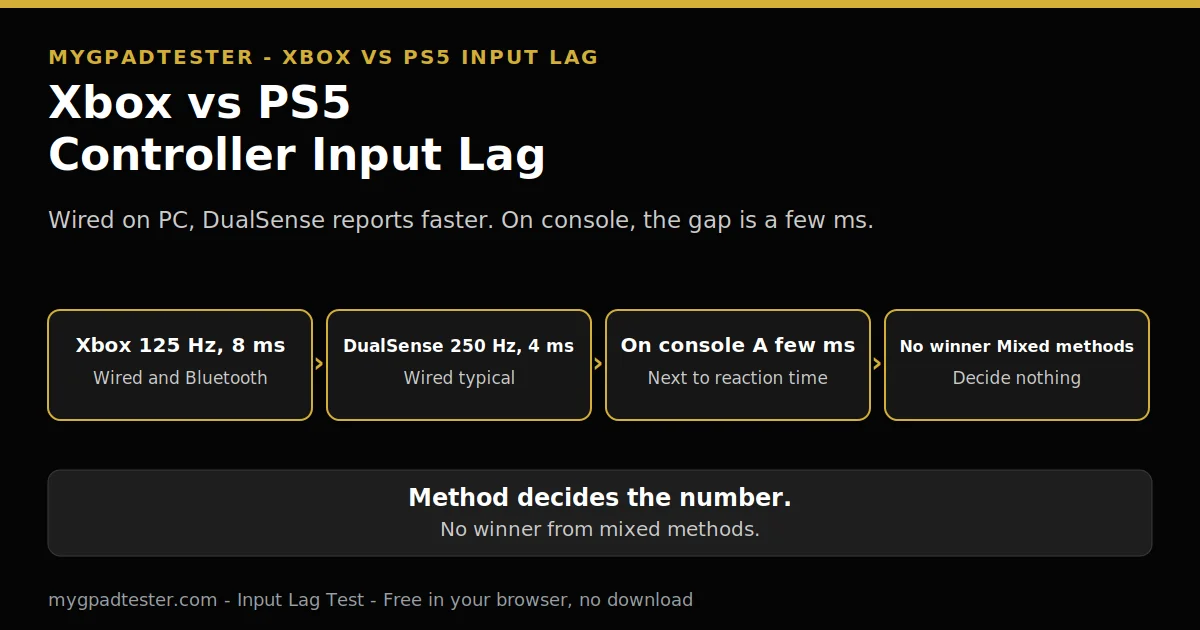
Neither controller wins outright. On PC wired, a DualSense reports faster than an Xbox pad, but on console the gap is a few ms next to reaction time and display lag. No single lab has tested both the same way, so this article states the method every time it quotes a figure, and declares no winner.
Test your input lag
No download. No account. Data stays in your browser.
An Xbox pad reports at about 125 Hz on every connection. A DualSense reports at about 250 Hz wired and about 125 Hz on Bluetooth. The difference is a few ms, and the rest of this post puts those few ms inside the full chain.
Which has less input lag, Xbox or PS5?
No honest winner exists from the numbers available, because no single lab has tested both controllers the same way, and the gap is a few ms either way. This article states the method every time it quotes a figure, so you can see what each number actually measures.
No official console-side polling figure exists from Sony or Microsoft for either pad. A direct numeric comparison is impossible from official sources alone. Test your own pad with the Input Lag Test, and compare bands, not single numbers.
Is the Xbox controller slower because it is only 125 Hz?
Yes, the Xbox pad is slower on the report interval, because 125 Hz means up to 8 ms of report interval, while a DualSense wired at 250 Hz means up to 4 ms. That is only one link in the chain, so it does not decide the whole lag on its own.
Xbox Series X/S, Xbox One, and Xbox Elite controllers poll at about 125 Hz wired and Bluetooth in normal use. The report interval is only one link in the chain. Frame time, display processing, and engine processing sit in the same chain. The full Xbox limit is in Xbox Controller 125Hz Explained.
Is the DualSense faster because it is 250 Hz wired?
Yes, a DualSense wired at about 250 Hz reports faster than an Xbox pad, with up to 4 ms of report interval against the Xbox pad’s 8 ms. On Bluetooth it drops to about 125 Hz like the Xbox pad, so the wired advantage disappears there.
DualSense wired is about 250 Hz typical, Bluetooth about 125 Hz typical, more variable. On Bluetooth the wired advantage disappears. The full DualSense guide is in PS5 Controller Polling Rate Test Guide.
Does the answer change on PC vs on console?
Yes, the answer changes by platform, because on PC the connection and the stack decide the number, while on console neither pad exposes a polling setting to the player. On PC, a DualSense wired is the faster report, and on console the gap is a few ms next to the rest of the chain.
On console both controllers feel snappy, and the polling gap is largely academic for the average player. Overclocking is PC-only. On console neither pad is user-overclockable. The procedure belongs to the overclocking guide and is never repeated here.
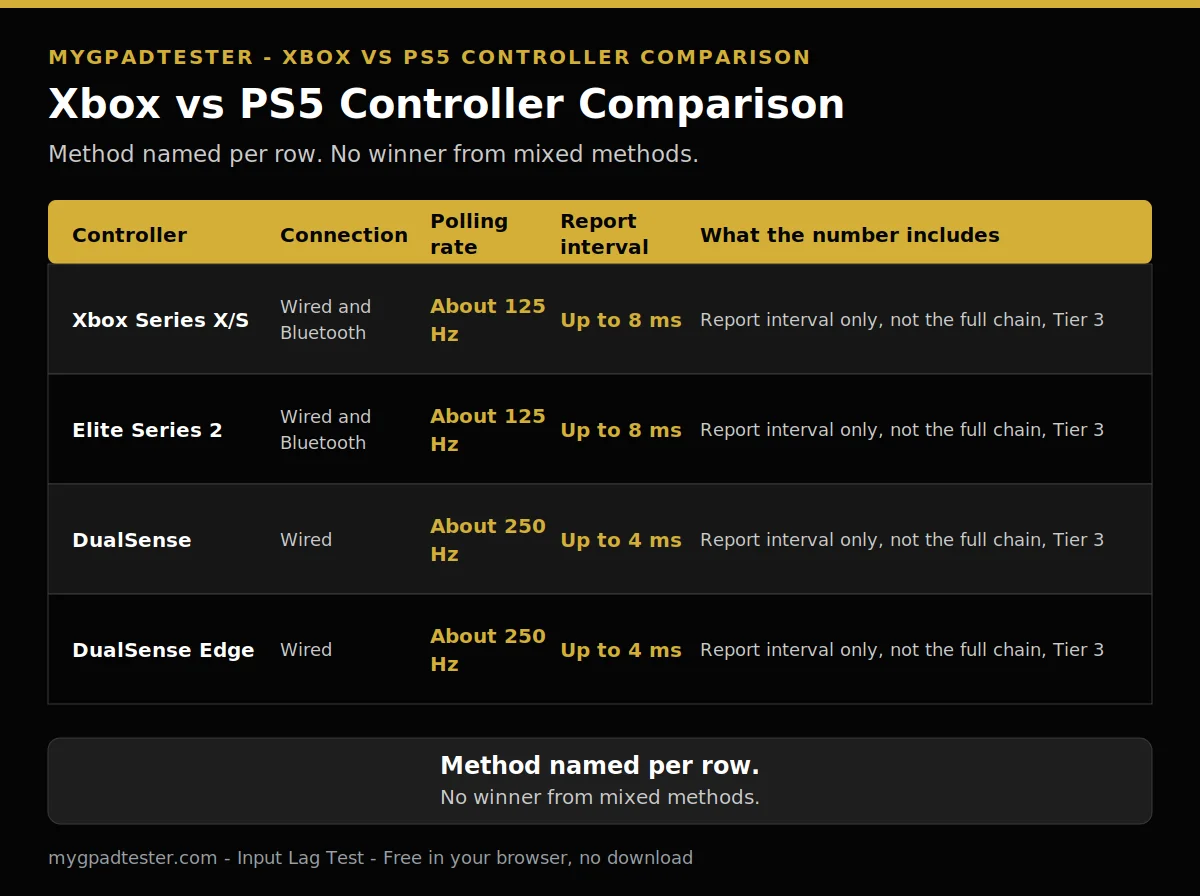
| Controller | Connection | Polling rate | Report interval | What the number does and does not include |
|---|---|---|---|---|
| Xbox Series X/S | Wired USB | About 125 Hz, typical | Up to 8 ms of report interval | The number is the report interval only, Tier 3 typical from the live tool page. It does not include engine, display, or reaction time. |
| Xbox Elite Series 2 | Wired USB | About 125 Hz, typical | Up to 8 ms of report interval | The number is the report interval only, Tier 3 typical from the live tool page, per model. It does not include engine, display, or reaction time. |
| DualSense | Wired USB | About 250 Hz, typical | Up to 4 ms of report interval | The number is the report interval only, Tier 3 typical from the live tool page. It does not include engine, display, or reaction time. |
| DualSense Edge | Wired USB | About 250 Hz, typical | Up to 4 ms of report interval | The number is the report interval only, Tier 3 typical from the live tool page, per model. It does not include engine, display, or reaction time. |
What about Elite Series 2 vs DualSense Edge?
The pro models follow the same platform limits in normal use, so the Edge keeps the DualSense rate of about 250 Hz wired and the Elite keeps the Xbox rate of about 125 Hz. No pro number is claimed without a per-model check, and the article names the model and its own specification every time.
Elite Series 2 uses the same Xbox platform rate in normal use, about 125 Hz. DualSense Edge uses the same DualSense platform rate in normal use, about 250 Hz wired typical. Per-model figures are verified per model at writing time, never as a blanket claim. No pro number is claimed without a per-model check.
Which controller feels better in FPS games?
Feel is not the same as measured lag, because stick tension, layout, and weight shape feel more than a few ms of report interval. One player loves the Xbox layout and another loves the DualSense triggers, and neither choice is wrong on lag alone.
Polling is one link in the input lag chain, not the whole chain. Polling rate and refresh rate are independent variables. What shapes feel is stick tension, layout, weight, and trigger shape, more than a few ms of report interval.
Can I make my Xbox controller as fast as a DualSense?
No, not reliably, because the Xbox pad has no reliable software overclock, and the procedure belongs to the overclocking guide, not to this comparison. The signed filter build lists Xbox pads as not supported, and a raised poll rate still reads the same fresh data at about 124 times a second.
The Xbox pad has no reliable software overclock. The procedure belongs to Controller Polling Rate Overclocking Guide. Memory integrity stays on. Never turn it or any Windows security feature off for a polling tweak. No anti-cheat vendor names the filter driver as banned or safe, so never promise any game is safe.
How do I test Xbox vs PS5 input lag myself?
Test one controller at a time on the same PC, same browser, same test, and same connection type, and compare bands, not single numbers. One reading proves nothing, so repeat each run once and note the spikes, because the spikes are what you feel in a game.
- Use the same PC for both pads.
- Use the same browser for both pads.
- Use the same test for both pads.
- Use the same connection type for both pads.
- Test one controller at a time.
- Compare bands, not single numbers.
- Repeat each run once, and note the spikes.
The full method is in Wired vs Wireless Controller Input Lag, Data Comparison.
What the full chain looks like
The controller link is only one part of the chain, so a few ms there sits next to engine time, display time, and a simple visual reaction time of about 200 to 250 ms. The table below shows the whole chain, so the gap between the two pads stays in proportion.
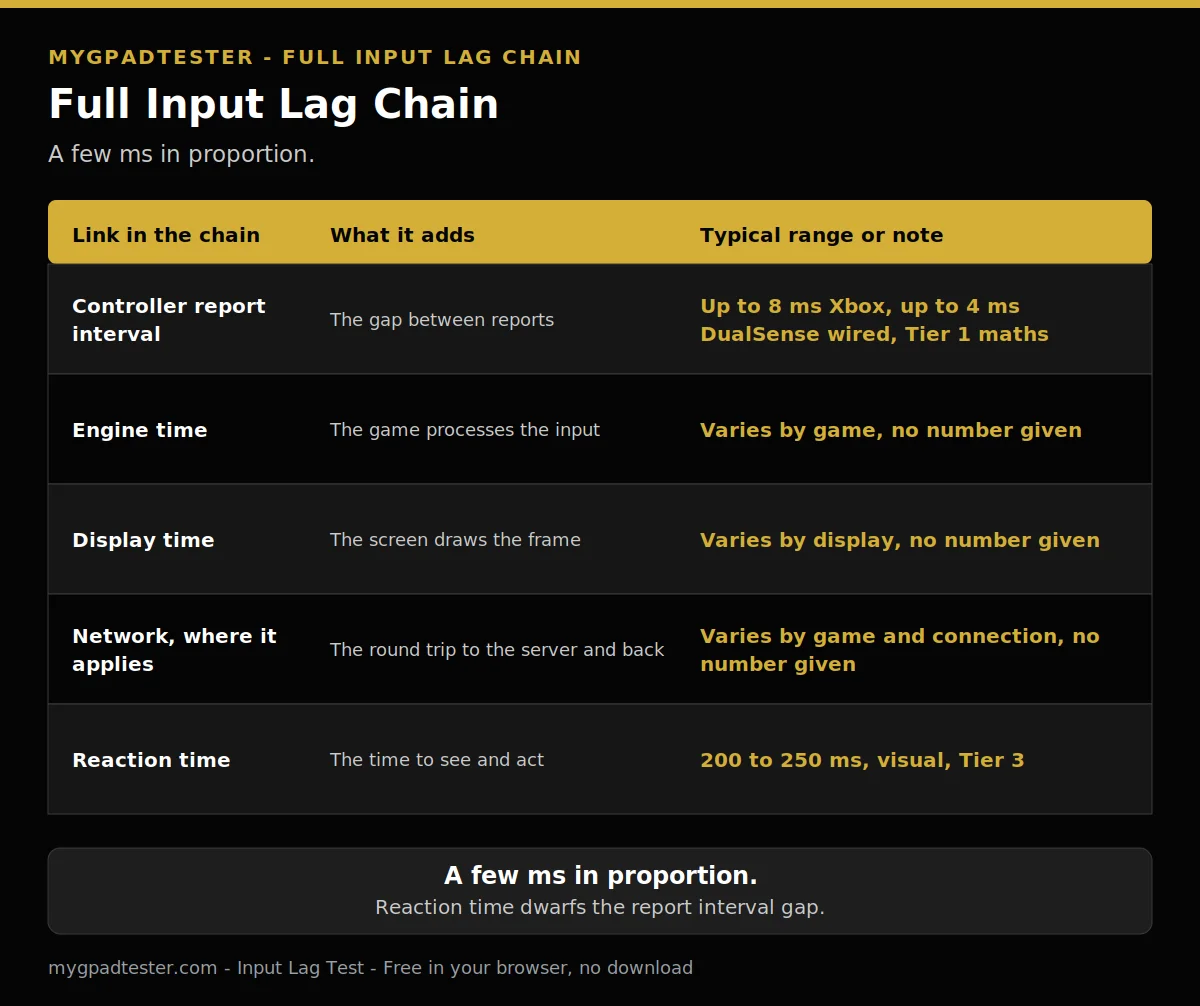
| Link in the chain | What it adds | Typical range or qualitative note |
|---|---|---|
| Controller report interval | The gap between reports | Up to 8 ms for Xbox, up to 4 ms for DualSense wired, Tier 1 maths |
| Engine time | The time the game takes to process the input | Varies by game. No number is given here. |
| Display time | The time the display takes to show the frame | Varies by display. No number is given here. |
| Network | The time the network adds, where it applies | Varies by connection. No number is given here. |
| Reaction time | The time you take to react | 200 to 250 ms, Tier 3. One study of 1,469 adults gives an average of 231 ms. |
Simple visual reaction time is about 200 to 250 ms for healthy young adults in lab conditions. One 2015 study of 1,469 adults gives an average of 231 ms. The controller link is only one part of the chain.
Related Tools
- Input Lag Test (pillar, highlighted)
- Polling Rate Test
- Button Test
- Trigger Test
- Vibration Test
- Stick Drift Test
- Stick Deadzone Test
- Gamepad Health Checker
Related Guides
- Best Budget Controllers With No Stick Drift
- Wired vs Wireless Controller Input Lag, Data Comparison
- 125Hz vs 250Hz vs 500Hz vs 1000Hz Controller Polling Rate
- What Is Controller Input Lag
- Xbox Series Stick Drift Fix
- PS5 DualSense Stick Drift Fix
About the Author
Marcus Sterling, Lead Engineer and Founder of MyGpadTester, Austin, Texas. Profile: https://mygpadtester.com/marcus-sterling/ X: https://x.com/marcussterlin
Neither controller wins outright. The DualSense is faster on the wire, and the two pads are close on Bluetooth. The difference is a few ms.
Frequently Asked Questions
Should I switch consoles or controllers just for input lag?
No. The gap is a few ms next to a simple visual reaction time of about 200 to 250 ms and the display lag in the chain. Buy for feel and platform, not for a few ms.
Do the DualSense adaptive triggers or haptics add lag?
Minor processing overhead is claimed in one source, but no number was verified and no measurement was found. The article says so plainly and gives no number.
Can I overclock a DualSense Edge on PS5?
No. Overclocking is PC-only. On console neither pad is user-overclockable. The procedure is in the overclocking guide and never repeated here.
Is Bluetooth always worse?
No. Bluetooth is the least steady connection on PC, but it is fine for casual games, and the gap depends on the stack, the room, and the controller. See the wired versus wireless data comparison for the full method-named ranges.
Which controller should I buy for FPS?
Buy for feel and platform, not for a few ms of report interval. Both pads are fast enough for competitive play on their own platforms, and the stick, layout, and weight matter more than the rate.
Why do two tests give different numbers?
Because the method decides the number. A browser test, an OSLTT lab test, and a report interval are three different measurements, and this article names the method every time it quotes a figure.
Neither controller wins outright. On PC wired, a DualSense reports faster than an Xbox pad, but on console the gap is a few ms next to reaction time and display lag. No single lab has tested both the same way. Buy for feel and platform, not for a few ms.
Next Steps
Test your pad with the Input Lag Test. Read Wired vs Wireless Controller Input Lag, Data Comparison, for the full method. Read Best Polling Rate for FPS / Competitive Gaming, for the per-game settings. Read Xbox Controller 125Hz Explained, for the Xbox limit. Read Controller Polling Rate Overclocking Guide, for the overclocking procedure.